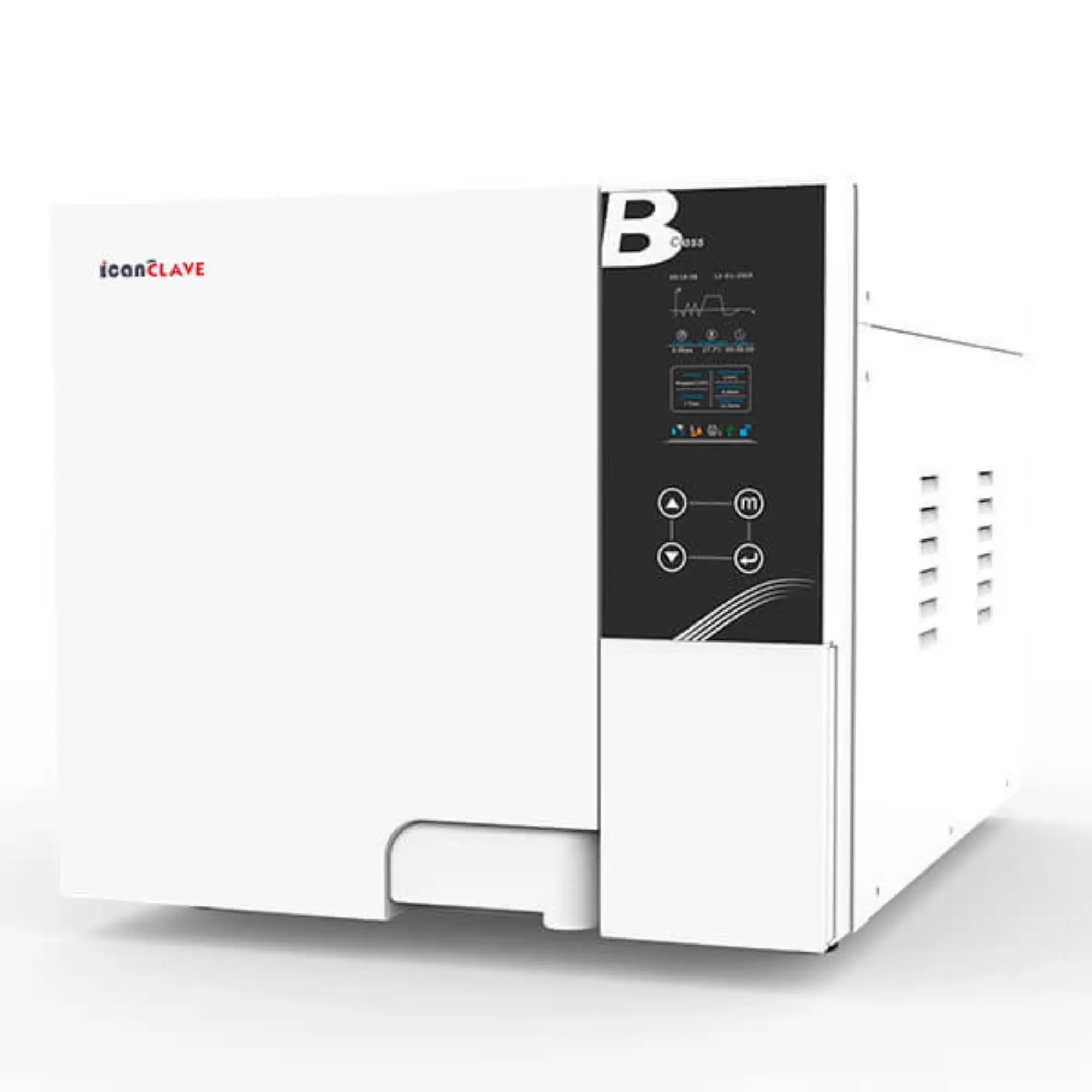
Autoclave blanc 12 Litres Classe B avec USB et imprimante intégrée Icanclave Autoclaves 
    Autoclave blanc 12 Litres Classe B avec USB et imprimante intégrée Icanclave Autoclaves 
    Autoclave blanc 12 Litres Classe B avec USB et imprimante intégrée Icanclave Autoclaves 
    Autoclave blanc 12 Litres Classe B avec USB et imprimante intégrée Icanclave Autoclaves 
Autoclave blanc 12 Litres Classe B avec USB et imprimante intégrée Icanclave Autoclaves 
    Autoclave blanc 12 Litres Classe B avec USB et imprimante intégrée Icanclave Autoclaves 
    Autoclave blanc 12 Litres Classe B avec USB et imprimante intégrée Icanclave Autoclaves 
    Autoclave blanc 12 Litres Classe B avec USB et imprimante intégrée Icanclave Autoclaves 
Autoclave blanc 12 Litres Classe B avec USB et imprimante intégrée Icanclave Autoclaves 

Product information

Description

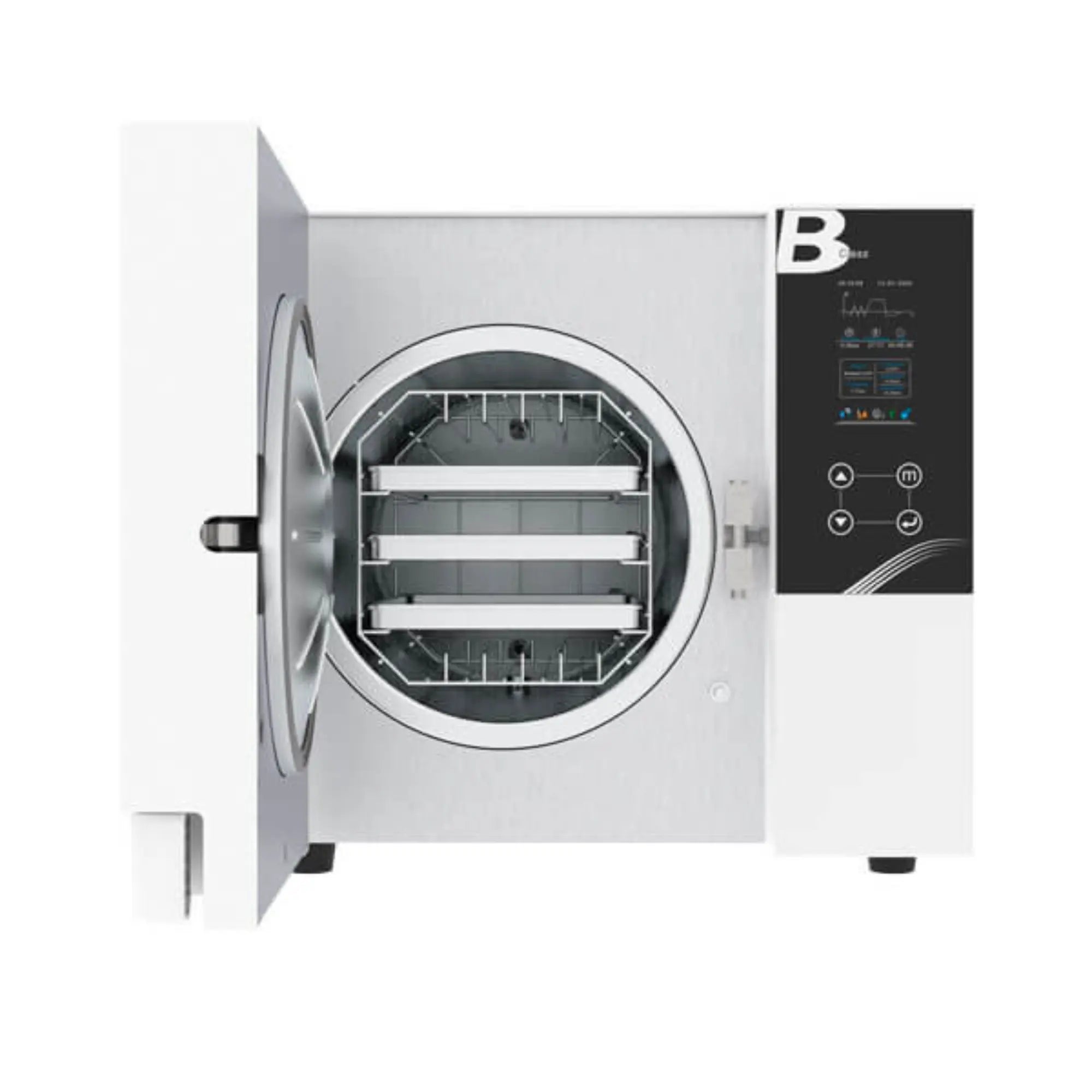
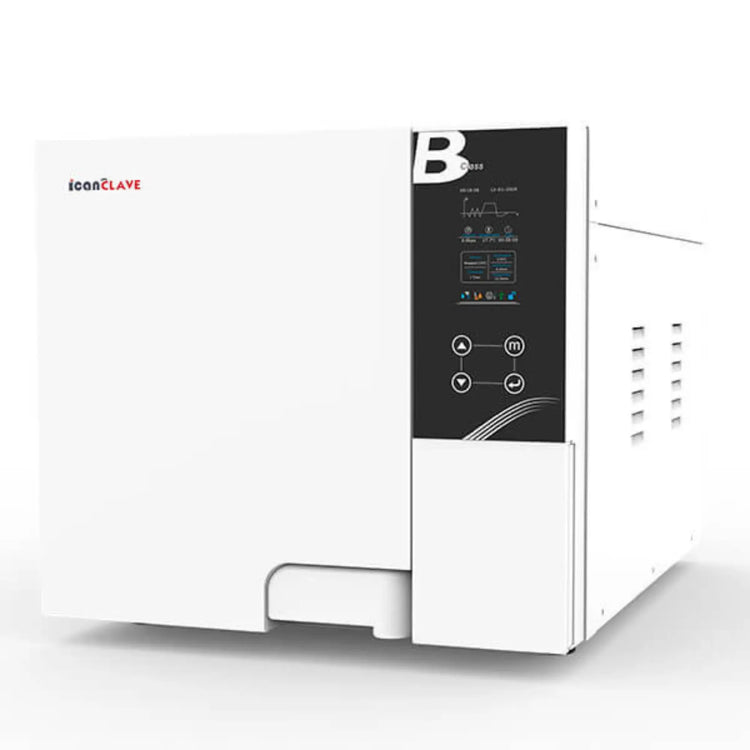
White 12-liter Class B Autoclave with USB and Integrated Printer

Warranty Details

Safety
- It is essential that water quality is below 20 microsiemens for the autoclave to start cycles.

- The cycle does not start if the door is not properly closed.
- The automated double hydraulic locking device prevents the door from opening while the chamber is under pressure.
- Safety valves protect the pressure generator and the chamber.
- A safety thermostat prevents overheating in the chamber and the generator.
- An automatic safety lock prevents accidental opening of the door during the sterilization process; the protector automatically cuts off electrical power if there is a short circuit or the power supply is unstable.
- A malfunction alarm indicates a failed cycle and a detailed error code.
- A door alarm indicates that the door is not secured.
- A low water alarm indicates when the water tank is empty or too full.


Technical Specifications
- Voltage: 220-240 VAC; 50/60 Hz; 10A
- External dimensions of the unit: W x H x L: 420 x 370 x 595 mm
- Tray dimensions: 315 x 160 mm
- Circuit breaker: F16A / 400V
- Rated power: 1500 VA
- 1750W
- Sterilization temperature: 121°C / 134°C
- Distilled water tank capacity: 2.5 L
- Operating temperature: 5°C / 40°C
- Relative humidity: Max. 80%, non-condensing
- Net weight: 40 kg
- Maximum noise level: <70 dB
- Atmospheric pressure: 76 kPa / 106 kPa

Icanclave Autoclave: Maintenance and Error Message Guide

Components
- Distilled water tank
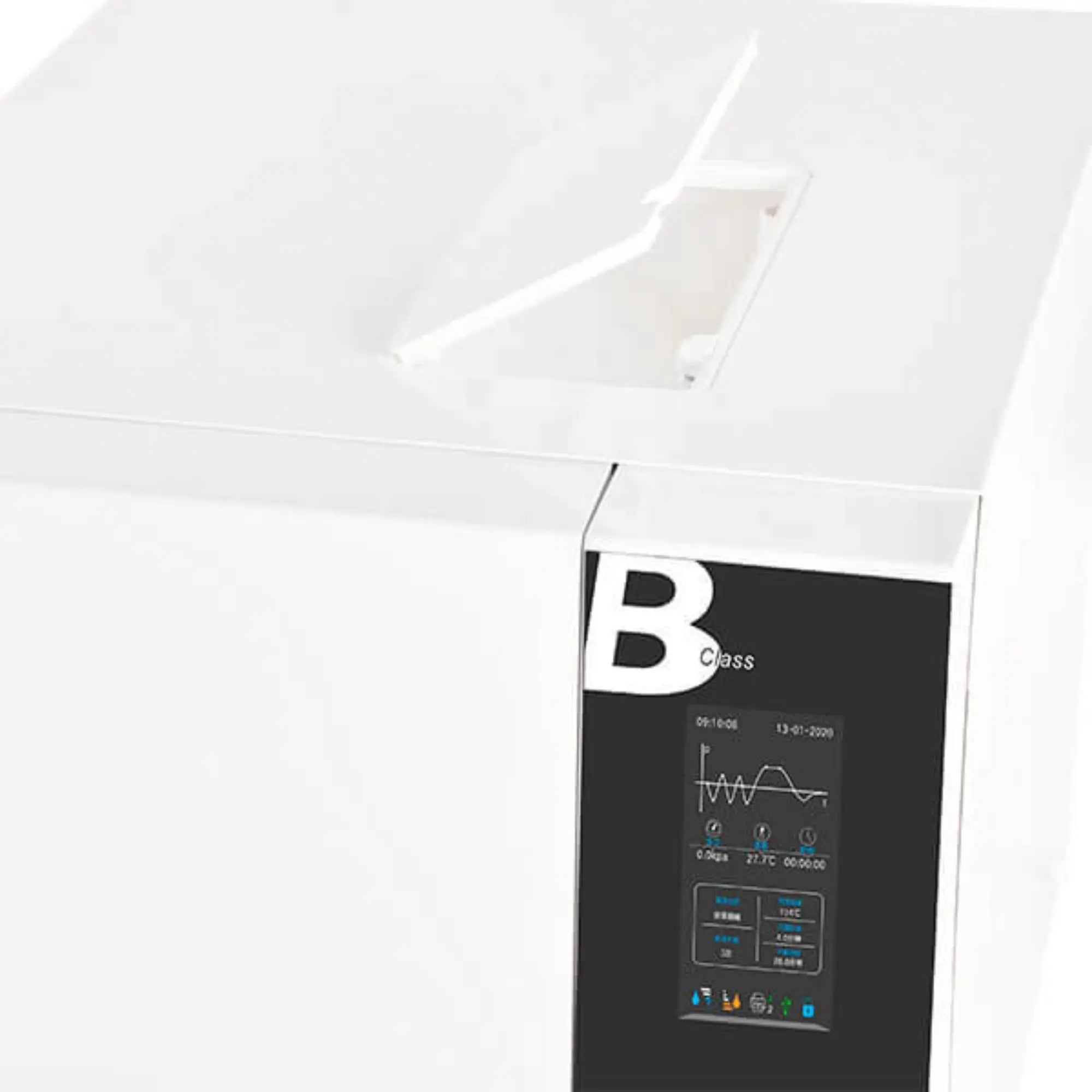
- LCD screen
- Control panel
- Main switch
- Key for draining distilled and used water
- USB port
- Internal printer (allows printing of sterilization cycle reports on thermal paper after the cycle ends.)
- Safety valve
- Ventilation grille
- Locking system
- Power cable
- Label

Accessories Included
- Sterilizer
- USB
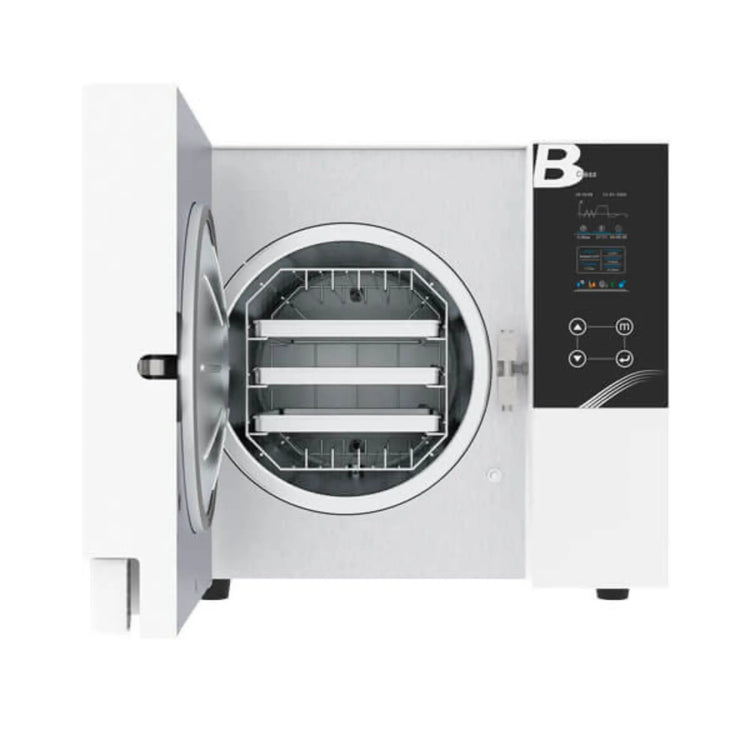
- 3 instrument trays
- Tray support
- Handle for tray extraction
- Tool to adjust the door
- 2 drain pipes
- Door gasket
- Instruction manual

Regulations
- 93/42/EEC Medical Devices Directive.
- 97/23/EEC Pressure Equipment Directive.
- EN 13060 Small steam sterilizers.
- EN 61326, EN 61000 EMC.
- EN 61010-1, UL 61010-1 Safety requirements.
- EN 61010-2-040, IEC 61010-2-040 Particular requirements for steam sterilizers used for the treatment of medical materials.

Autoclave Process Step-by-Step
1. Open the door, remove the tools and accessories from the sterilization chamber, unpackage them, and clean them.

2. Plug the power cord into a suitable power source.

3. Connect the printer.

4. Power on: The main switch is located on the front, lower right side of the unit. Once turned on, the LCD screen will light up, and basic operating symbols for the sterilizer, such as door position, water level, sterilization program, date, and time, will appear.

5. Remove the top cover and fill the distilled water tank. If a beeping sound occurs, it means you have exceeded the allowed water level in the tank. Drain the excess water until the alarm turns off.

6. Preparation of materials for sterilization: Place instruments on different trays and separate them according to their materials. If the instruments are not stainless steel, use sterilization pouches. These should not be in contact. Ensure all instruments are properly placed so that no water remains in hollow parts. Do not overload instrument trays or place them in direct contact with the walls of the sterilization chamber. Do not use paper clips or needles to avoid damage or malfunction of the autoclave.

7. Select the sterilization program.

8. Start the sterilization cycle.
After selecting the sterilization program, place the instruments on the trays in the chamber using the supplied plastic clamp.
Once the instruments are properly placed inside, close the door. Caution: Make sure the door is tightly closed, otherwise the sterilizer will not be able to operate.

9. Start the sterilization program.
Press the power button, the autoclave will begin operating for approximately 30-75 minutes.

10. End of sterilization cycle.
Once the sterilization cycle is complete, the printer will automatically print the full cycle report.
Once the pressure has dropped to 0, you can open the door and remove the instruments. The autoclave will alert you with an audible signal once the sterilization cycle is complete.
Caution: Use the plastic clamp to remove the instruments.

IMPORTANT: Do not reuse used water after draining the tank.


It is important to keep the original packaging in case of after-sales service.

Program

Temp.

/Pressure

Sterilization Time Total Time (min)
8D Pro 12D Pro

18D Pro

23D Pro
QUICK 134 134℃/210Kpa 3.5 min 10-20 11-20 12-30 15-30
WRAPPED 134 134℃/210Kpa 4 min 25-40 28-45 30-49 38-57
WRAPPED 121 121℃/110Kpa 20 min 36-46 37-48 38-54 46-62
PRION 134 134℃/210Kpa 18 min 35-46 36-48 37-52 45-60
B&D TEST 134 3.5 min 10-20 15-25 15-30 28-35
HELIX TEST 134 3.5 min 10-20 15-25 15-30 28-35
VACUUM TEST 17-20 18-21 19-22 20-25

* Cycle duration is based on different loads and with/without preheating.

* Sterilization time and drying time can be adjusted.


Description

White 12-liter Class B Autoclave with USB and Integrated Printer

Warranty Details

Safety
- It is essential that water quality is below 20 microsiemens for the autoclave to start cycles.

- The cycle does not start if the door is not properly closed.
- The automated double hydraulic locking device prevents the door from opening while the chamber is under pressure.
- Safety valves protect the pressure generator and the chamber.
- A safety thermostat prevents overheating in the chamber and the generator.
- An automatic safety lock prevents accidental opening of the door during the sterilization process; the protector automatically cuts off electrical power if there is a short circuit or the power supply is unstable.
- A malfunction alarm indicates a failed cycle and a detailed error code.
- A door alarm indicates that the door is not secured.
- A low water alarm indicates when the water tank is empty or too full.


Technical Specifications
- Voltage: 220-240 VAC; 50/60 Hz; 10A
- External dimensions of the unit: W x H x L: 420 x 370 x 595 mm
- Tray dimensions: 315 x 160 mm
- Circuit breaker: F16A / 400V
- Rated power: 1500 VA
- 1750W
- Sterilization temperature: 121°C / 134°C
- Distilled water tank capacity: 2.5 L
- Operating temperature: 5°C / 40°C
- Relative humidity: Max. 80%, non-condensing
- Net weight: 40 kg
- Maximum noise level: <70 dB
- Atmospheric pressure: 76 kPa / 106 kPa

Icanclave Autoclave: Maintenance and Error Message Guide

Components
- Distilled water tank
- LCD screen
- Control panel
- Main switch
- Key for draining distilled and used water
- USB port
- Internal printer (allows printing of sterilization cycle reports on thermal paper after the cycle ends.)
- Safety valve
- Ventilation grille
- Locking system
- Power cable
- Label

Accessories Included
- Sterilizer
- USB
- 3 instrument trays
- Tray support
- Handle for tray extraction
- Tool to adjust the door
- 2 drain pipes
- Door gasket
- Instruction manual

Regulations
- 93/42/EEC Medical Devices Directive.
- 97/23/EEC Pressure Equipment Directive.
- EN 13060 Small steam sterilizers.
- EN 61326, EN 61000 EMC.
- EN 61010-1, UL 61010-1 Safety requirements.
- EN 61010-2-040, IEC 61010-2-040 Particular requirements for steam sterilizers used for the treatment of medical materials.

Autoclave Process Step-by-Step
1. Open the door, remove the tools and accessories from the sterilization chamber, unpackage them, and clean them.

2. Plug the power cord into a suitable power source.

3. Connect the printer.

4. Power on: The main switch is located on the front, lower right side of the unit. Once turned on, the LCD screen will light up, and basic operating symbols for the sterilizer, such as door position, water level, sterilization program, date, and time, will appear.

5. Remove the top cover and fill the distilled water tank. If a beeping sound occurs, it means you have exceeded the allowed water level in the tank. Drain the excess water until the alarm turns off.

6. Preparation of materials for sterilization: Place instruments on different trays and separate them according to their materials. If the instruments are not stainless steel, use sterilization pouches. These should not be in contact. Ensure all instruments are properly placed so that no water remains in hollow parts. Do not overload instrument trays or place them in direct contact with the walls of the sterilization chamber. Do not use paper clips or needles to avoid damage or malfunction of the autoclave.

7. Select the sterilization program.

8. Start the sterilization cycle.
After selecting the sterilization program, place the instruments on the trays in the chamber using the supplied plastic clamp.
Once the instruments are properly placed inside, close the door. Caution: Make sure the door is tightly closed, otherwise the sterilizer will not be able to operate.

9. Start the sterilization program.
Press the power button, the autoclave will begin operating for approximately 30-75 minutes.

10. End of sterilization cycle.
Once the sterilization cycle is complete, the printer will automatically print the full cycle report.
Once the pressure has dropped to 0, you can open the door and remove the instruments. The autoclave will alert you with an audible signal once the sterilization cycle is complete.
Caution: Use the plastic clamp to remove the instruments.

IMPORTANT: Do not reuse used water after draining the tank.


It is important to keep the original packaging in case of after-sales service.
Program

Temp.

/Pressure

Sterilization Time Total Time (min)
8D Pro 12D Pro

18D Pro

23D Pro
QUICK 134 134℃/210Kpa 3.5 min 10-20 11-20 12-30 15-30
WRAPPED 134 134℃/210Kpa 4 min 25-40 28-45 30-49 38-57
WRAPPED 121 121℃/110Kpa 20 min 36-46 37-48 38-54 46-62
PRION 134 134℃/210Kpa 18 min 35-46 36-48 37-52 45-60
B&D TEST 134 3.5 min 10-20 15-25 15-30 28-35
HELIX TEST 134 3.5 min 10-20 15-25 15-30 28-35
VACUUM TEST 17-20 18-21 19-22 20-25

* Cycle duration is based on different loads and with/without preheating.

* Sterilization time and drying time can be adjusted.


Marque : Icanclave Autoclaves  |  Référence : 49.015

12 Liter Class B white autoclave with USB and integrated printer

In short
Class B 12 Litre White Autoclave with USB backup and integrated printer. Safety with double hydra...  Per saperne di più
Prezzo di listino
10.617,00 zł
Prezzo di vendita
10.617,00 zł
Prezzo di listino
16.333,00 zł
Tasse incluse. Spedizione calcolata al momento del pagamento.
🚚 Disponible immédiatement

Disponibilité : actualisez la page une fois la variante sélectionnée pour mettre à jour la disponibilité

Secure Payment: Visa, MasterCard, Amex, Apple Pay
Free delivery from 100€ purchase including tax
Delivery to your office, to a relay point or to your home!

Référence My Podologie : Translation missing: it.products.product.sku:49.015
EAN :

Garantie : 1 year
Caractéristiques : Non spécifiées
Mentions particulières : Photos non contractuelles

Check out these similar products